
Turns And Maintenance For Rental Properties
Rent-ready sooner.
Turnbright drafts the scope from the move-out inspection, sends the work to your vendors, and checks every photo they take — so turns move faster and your team spends less time on each one.
Now welcoming early property management partners.
Turn Faster
The scope is ready when the move-out inspection is, and the work goes straight to your vendors. Fewer days between move-out and rent-ready.
How Scopes Work →Save Hours
Scopes write themselves from the inspection and the catalog. Approvals start with every photo already checked and anything off flagged.
How Approval Works →Trust The Work
Every item is proven with photos stamped with the time and place — so you know it’s done without driving out to see it.
How Vendors Prove It →
How It Works
Every job checked. Every item proven.
Every visit — a move-out, a turn, a repair, a tune-up — is a work order, and every work order runs the same five steps.
- 1
The Work Order Goes Out
Send it to your own technician or an outside vendor, with the items to do, the due day and the property’s details.
- 2
The Work Gets Done And Proven
In the app, they work down the checklist and prove each item with photos taken on site, stamped with the time and place.
- 3
AI Checks Every Photo
Each item’s photos are read against what the item asked for. Anything that looks unfinished or unclear is flagged for a person.
- 4
You Review And Approve
See the flags first, with the photos beside each item. Approve it, or send items back to the vendor to finish.
- 5
The Resident Hears About It
When someone lives there, the resident gets a text or email when the request is received, the visit is set, the day before, and when the work is done.
Scopes, Catalog And Templates
The inspection writes the scope.
Turnbright turns a walk-through into a priced, room-by-room scope of work — built from a full repair and renovation catalog, and started from the same templates we run our own properties on.
Scope Generation
Finish a move-out or renovation inspection and Turnbright drafts the scope for you.
- Drafted room by room from the inspection’s answers and photos
- Services, quantities and notes from the catalog, priced for your market
- Your team reviews, adjusts and approves — nothing is spent without a person
- Send lines to a vendor as a work order, and the checklist is already written
A Full Services Catalog
Every repair and renovation service, from a faucet to a full kitchen — each with a written spec, a picture of what goes in, and prices by market. Search it by type of work and room, and price a repair on the spot.
Best-Practice Templates, Included
Start with every template we use on our own properties, built and refined on real jobs. Use them as they are, or change any question to fit how you work.
- Move-In
- Move-Out
- Periodic
- Full Property / Turn
- Pre-Purchase
- Punch List
- Post-Punch
- Cleaning
- HVAC
For Property Managers
Run every property’s upkeep from one place.
Stop chasing photos in texts and status in spreadsheets. Turnbright keeps the work, the proof and the history together, property by property.
Turns And Move-Outs
Walk the unit at move-out, and the condition, photos and repairs needed carry straight into the turn.
Work Orders
Every job with its vendor, due day, status, estimates and invoices — in-house or outside, one list.
Inspections
Move-in, move-out, periodic and pre-purchase walk-throughs on checklists you shape to your properties.
Open Repairs
Repairs an inspection found, and work put off for later, stay open on the property until they’re done.
Move-Out Chargebacks
Mark the lines the resident owes, with the reason and amount, backed by the move-out photos.
Equipment On File
HVAC, water heaters and appliances recorded on the property from inspection photos, with their history.
Time On Site
How long each visit took, read from when the work was captured — not from a timesheet.
Every Property’s History
Inspections, work orders, photos, open repairs and equipment for each property, in one place.
Inside The App
The app your vendors and technicians use.
Built for a phone in one hand on a job site: clear checklists, big buttons, and it keeps working with no signal.
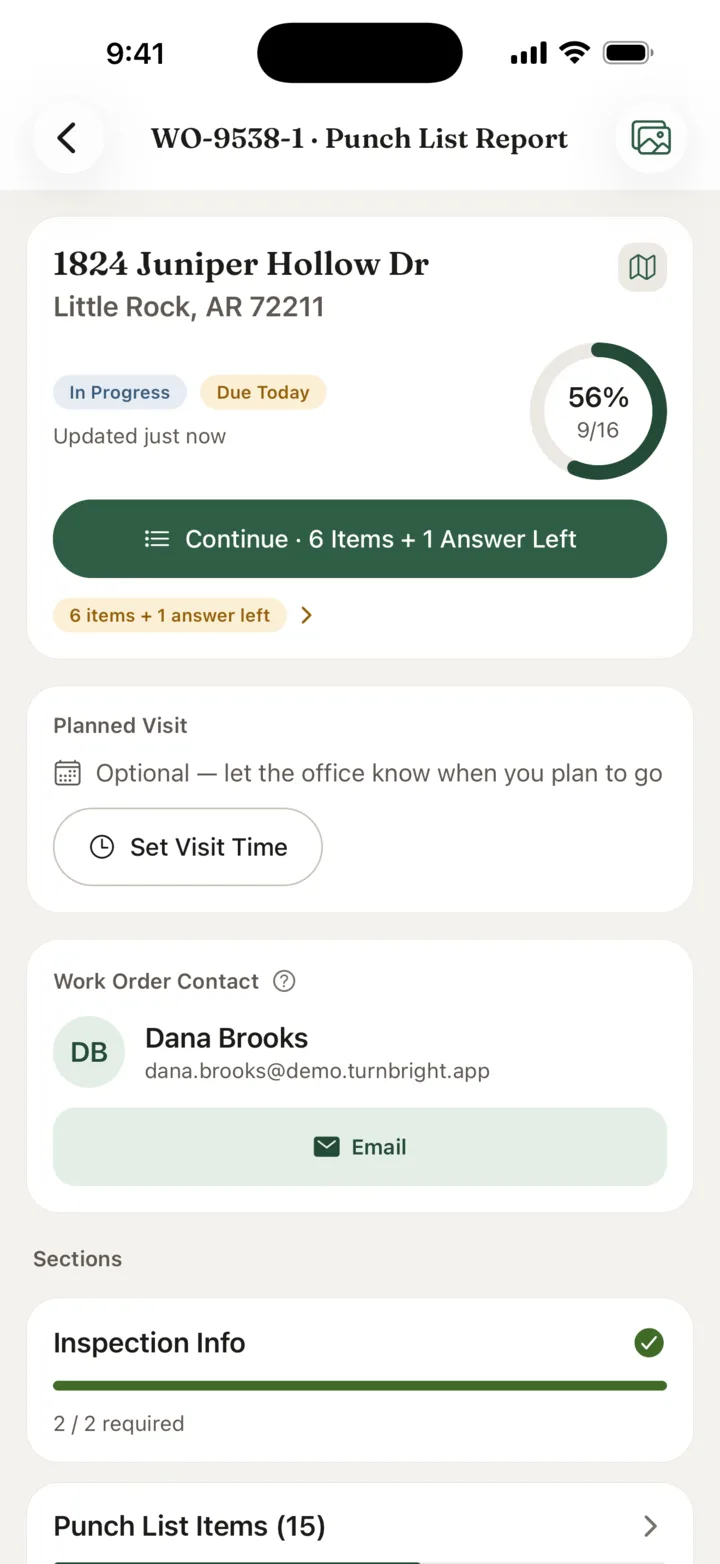
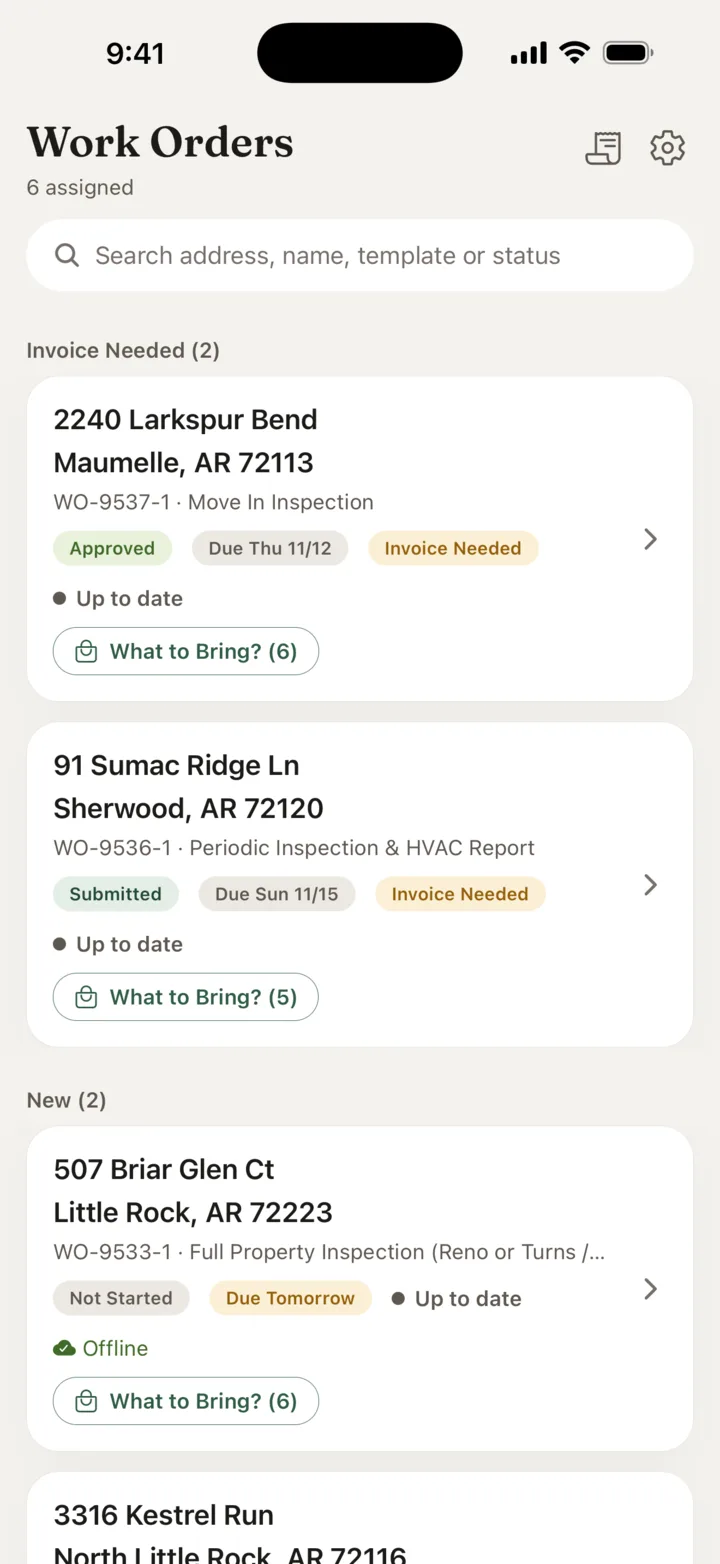
Every Job, At A Glance
The address, what’s left, the due day and who to call.
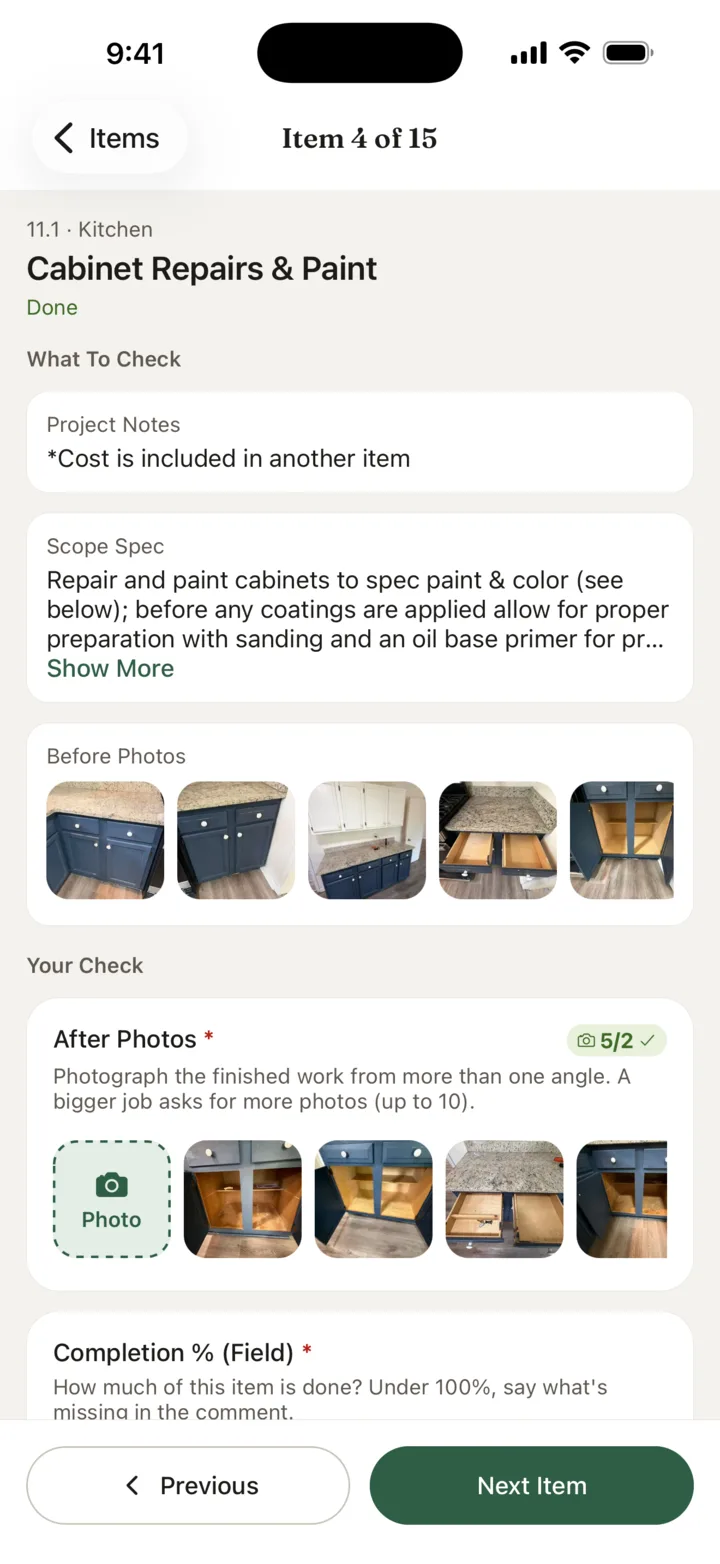
Item By Item
What to check, the spec to follow, and before and after photos.
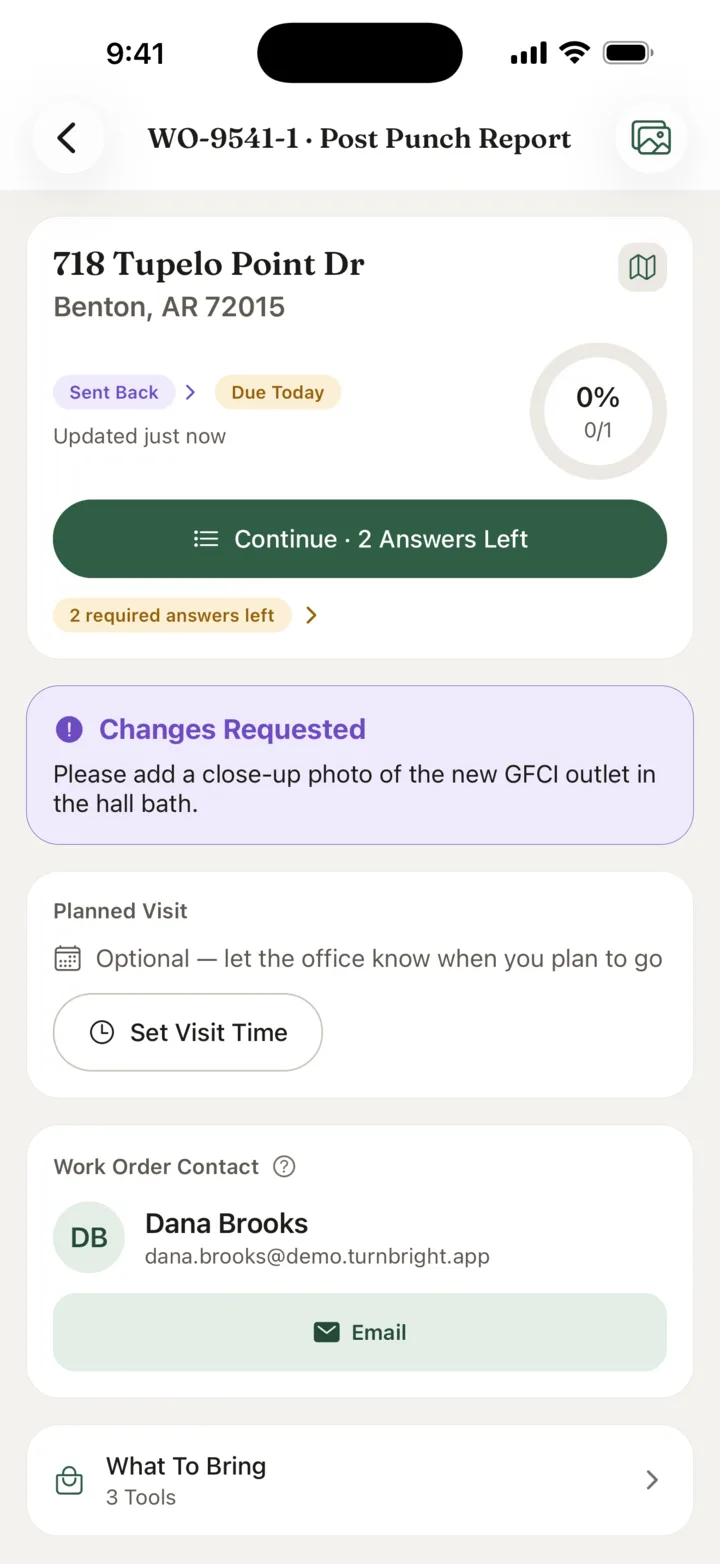
Sent Back, Clearly
When something needs another look, they see exactly what.
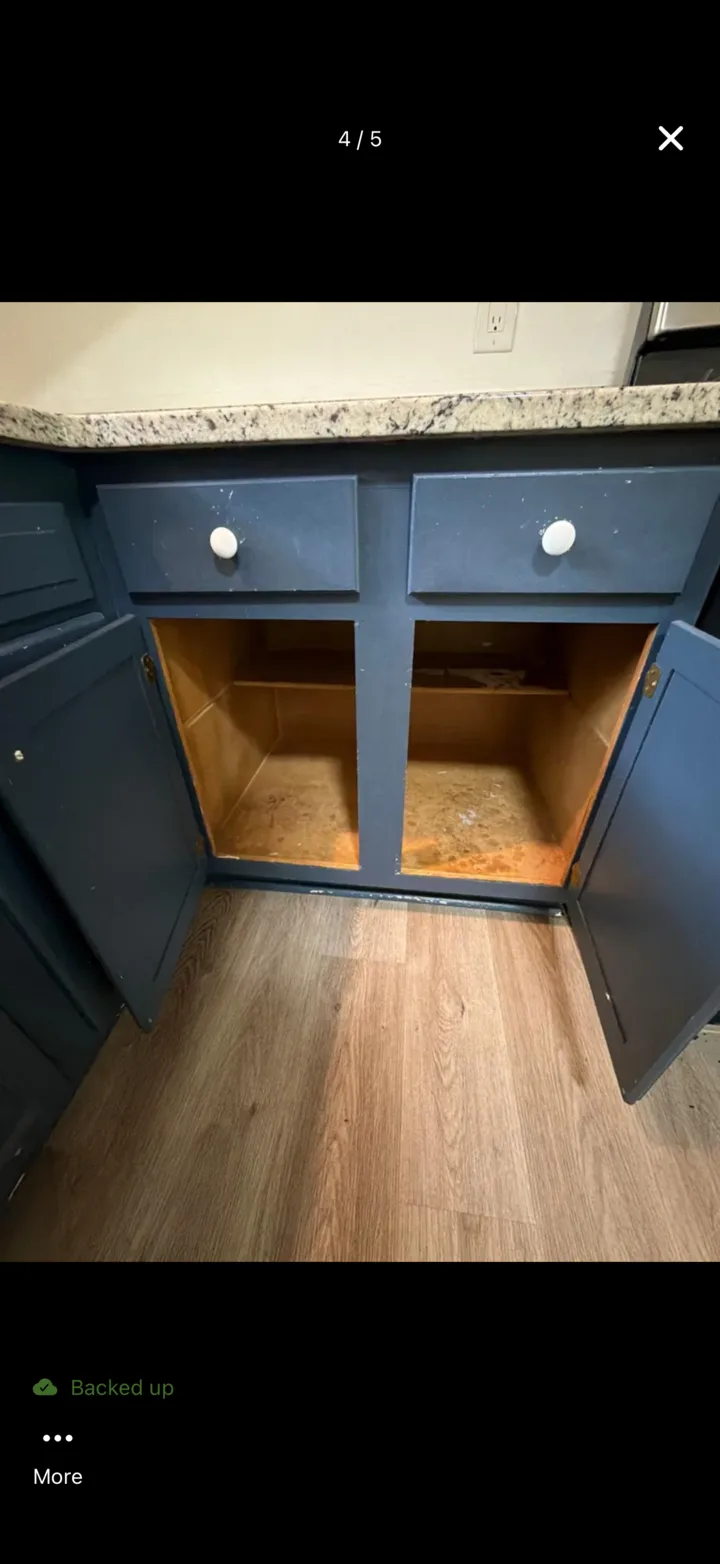
Backed Up From The Field
Photos save to the phone first and upload on their own.
For Vendors And Technicians
Do the work. Show the work. Get it approved.
Got a work order from a property manager on Turnbright? Get the free app and you’re ready to go.
Free App
Free on iPhone and Android. Sign in with a link sent to your email — no password to remember.
Clear Checklists
Every job lists exactly what to do, item by item, so you know what done looks like before you start.
Proof That Protects You
Your photos show what you did, when and where. When a question comes up later, the answer is already on file.
Built For The Field
Keep taking photos with a weak signal or none — they upload on their own once you’re back in range.
Built By Operators
We built it to run our own rentals.
Turnbright started inside a rental property company. Every turn, work order, inspection and renovation scope on our own properties runs on it, so every feature had to earn its place on a real job before it reached you.
Now we’re opening it to other property managers who want the same thing: work they can trust without driving out to see it.
In Daily Use
On every property we manage, by our office and our field team.
Shaped In The Field
Changed week by week from what our vendors and technicians told us.
Homes Or Units
Scattered houses or units in a building — each work order names the unit it’s for.
See every job proven before you approve it.
We’re bringing on a small group of early partners. Tell us about your properties and we’ll walk you through it.